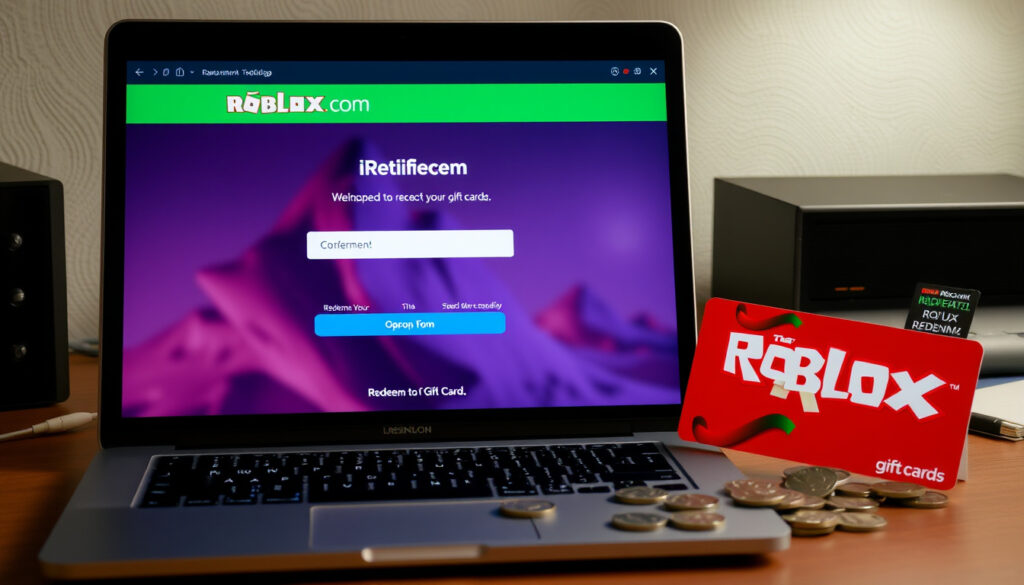
Redeem Roblox Codes at roblox.com/redeem: Gift Cards & More
If you’ve picked up a Roblox gift card or spotted a promo code online, you’re probably wondering where to actually enter it. The answer is simple: roblox.com/redeem. This official page is your one-stop spot for turning gift cards, promo codes, and Premium pins into Robux and exclusive items, and we’ll walk you through every method step by step.
Official Redeem URL: https://www.roblox.com/redeem ·
Bonus Robux on Gift Cards: Up to 25% ·
Free Virtual Item: One exclusive item per card ·
Code Types Accepted: Gift cards, promo codes, pin codes ·
Redeemable via Browser: Desktop and mobile
Quick snapshot
- Visit roblox.com/redeem (Roblox Redeem Page)
- Enter gift card code or PIN (Roblox Help Center)
- Get Robux + free exclusive item (Roblox Gift Cards Page)
- Up to 25% bonus Robux (Roblox Gift Cards Page)
- Get codes from Roblox events or partners (Roblox Help Center)
- Enter at roblox.com/redeem (Roblox Redeem Page)
- Rewards vary per promotion (Roblox Help Center)
- Use Premium code or purchase (Roblox Redeem Page)
- Log in and redeem (Roblox Help Center)
- Monthly Robux and perks (Roblox Premium Page)
- Open any browser on desktop or mobile (Roblox Help Center)
- Go to roblox.com/redeem (Roblox Redeem Page)
- Sign in and enter code (Roblox Help Center)
Six key facts about redeeming on Roblox — from the official URL to what you actually get.
| Attribute | Value |
|---|---|
| Official Redeem URL | https://www.roblox.com/redeem (Roblox Redeem Page) |
| Required Login? | Yes, you must be logged into a Roblox account (Roblox Help Center) |
| Types of Codes | Gift cards, promo codes, pin codes, Premium codes (Roblox Redeem Page) |
| Bonus Robux | Up to 25% on certain gift cards (Roblox Gift Cards Page) |
| Free Item | One exclusive virtual item per gift card (Roblox Gift Cards Page) |
| Redeem Limits | No known limit, but each code can only be used once (Roblox Help Center) |
How to redeem a Roblox gift card?
Redeeming a physical or digital gift card is the most common way to add Robux and grab a free virtual item. The process takes about a minute.
Visit the official redeem page
- Open any browser and go to roblox.com/redeem — this is the only official redemption page (Roblox Help Center).
- You must be logged into your Roblox account. If you don’t have one, create a free account first.
Enter the gift card code or PIN
- Scratch off the silver area on the back of the card to reveal the PIN. Type it exactly, including any dashes (Roblox Help Center).
- Click the Redeem button. A success message will appear if the code is valid.
Confirm and receive Robux and a free virtual item
- After redemption, the Robux and the exclusive virtual item are credited to your inventory (Roblox Gift Cards Page).
- Some gift cards offer up to 25% bonus Robux when redeemed on a computer or web browser (Roblox Gift Cards Page).
The implication: gift cards deliver guaranteed value with a bonus, making browser redemption the preferred method for serious Roblox players.
How to redeem Roblox promo codes and free codes?
Promo codes are limited-time offers distributed by Roblox through events, livestreams, or partnerships. They typically grant exclusive items or small amounts of Robux.
Find valid promo codes from official Roblox events or partners
- The only official sources are Roblox itself and its authorized partners (Roblox Help Center).
- Promo codes often expire or are active for short periods (Roblox Help Center).
- Beware of third-party websites claiming to offer “free Robux codes” — these are almost always scams (Roblox Help Center). Other platforms also distribute codes through promotions — see our guide on Etsy Free Shipping Code: Active Codes & How to Use for a parallel to the code-redeem process.
Enter the promo code at roblox.com/redeem
- Log in and navigate to roblox.com/redeem. Type the code in the box and click Redeem (Roblox Help Center).
- If the item isn’t credited, check your inventory — you may already own it (Roblox Help Center).
Be cautious of scams offering free codes
- No legitimate site gives away free Robux codes for simply clicking a button. Roblox explicitly warns against sharing your password or entering your account credentials on unofficial sites (Roblox Help Center).
Promo codes are rare and expire quickly. The only safe way to get them is through Roblox’s official channels — anything else is gambling with your account.
The pattern: promo codes are scarce by design, so the effort of tracking official channels rarely pays off for casual users.
How to redeem Roblox Premium?
Roblox Premium is a subscription that gives you monthly Robux, exclusive items, and the ability to trade. Premium codes can be redeemed the same way as gift cards.
Login to your Roblox account
- Make sure you’re signed in at roblox.com/login.
Go to the Premium subscription page or use roblox.com/redeem
- For a Premium code, simply go to roblox.com/redeem and enter the code (Roblox Help Center).
- If you’re buying directly, visit the Premium subscription page to choose a plan.
Enter the Premium code or purchase directly
- After redemption, your account will be upgraded to Premium. You’ll receive monthly Robux and other perks (Roblox Premium Page).
What this means: whether through a code or direct subscription, Premium ties monthly Robux to a recurring commitment rather than a one-time purchase.
Do you need to log in to redeem a code?
Yes — a valid Roblox account is mandatory. The rewards must be tied to a specific account, and the system verifies ownership before processing (Roblox Help Center).
You must be logged into a Roblox account
- If you try to redeem without logging in, you’ll be redirected to the login page.
Create a new account if you don’t have one
- Registration is free at roblox.com/login. Parental consent is required for users under 18 (Roblox Redeem Page).
Log in at roblox.com/login before redeeming
- It’s a straightforward step that ensures your Robux and items arrive safely.
Without a logged-in account, the system can’t deliver your rewards. Think of it as delivering a package to an address — the code has no destination.
The catch: without an account, a code is worthless — the login requirement is a security feature, not a hurdle.
How to redeem Roblox codes from your browser?
You’re not limited to a specific app. Any modern browser on desktop, mobile, or even a tablet can access the redeem page.
Open any browser on desktop or mobile
- Chrome, Safari, Firefox, Edge — all work fine. For users looking for free internet access points to redeem codes on the go, check out our guide on Internet Cafe Near Me – Where to Find Free Access.
Navigate to roblox.com/redeem
- Type https://www.roblox.com/redeem directly into the address bar.
- Mobile browsers are fully supported (Roblox Help Center).
Sign in and enter the code
- Log in, type your code, click Redeem, and you’re done.
- Smart TV browsers can sometimes work but are less reliable (Roblox Help Center).
The implication: browser flexibility removes platform barriers, but desktop users still get the best deal on gift cards.
Step-by-Step Redemption Guide
Whether you’re using a gift card, promo code, or Premium code, the steps are the same. Here’s a consolidated walkthrough.
- Go to roblox.com/redeem in your browser.
- Log in to your Roblox account (create one for free if needed).
- Enter the code exactly as it appears — including dashes or uppercase letters.
- Click Redeem.
- Wait for the success confirmation, then check your Robux balance and inventory for the item.
The implication: the redeem page is designed to handle all code types in one place, so there’s no need to search for different pages. Bookmark it for future use.
Confirmed facts and what’s unclear
Confirmed facts
- Official redemption is only at roblox.com/redeem (Roblox Redeem Page)
- Gift cards grant Robux and a free item (Roblox Gift Cards Page)
- Login is required (Roblox Help Center)
- Browsers on desktop and mobile work (Roblox Help Center)
- Gift cards can provide up to 25% extra Robux via web redemption (Roblox Gift Cards Page)
What’s unclear
- Validity of free codes from third-party sources
- Future promotional bonuses and timing
“Enter your Roblox gift card or promo code to get Robux and unlock a free exclusive virtual item.”
— Roblox Redeem Page
“If you don’t have a promo code, please check back later. Promo codes are released as part of limited-time offers.”
— Roblox Help Center
The trade-off is clear: official codes are safe but scarce, while third-party offers promise free Robux but carry real account risk. For any player in the Roblox ecosystem, the choice between convenience and security is no choice at all — stick with roblox.com/redeem and ignore everything else.
Frequently asked questions
Can I redeem a Roblox code on a console?
No, console platforms like Xbox or PlayStation do not have a built-in redemption interface for Roblox codes. You must use a browser on another device.
What if my code is invalid or expired?
If you see an error message, double-check for typos. Expired codes cannot be redeemed. If you believe the code should be valid, contact Roblox Support.
How do I get legitimate Roblox promo codes?
Official promo codes are distributed by Roblox during events, via their social media, or through partner promotions. Never trust random YouTube comments or websites.
Is there a limit to how many codes I can redeem?
Roblox does not publicly state a limit, but each code can be used only once per account.
Do Roblox gift cards expire?
Gift cards do not expire, but the free virtual item offer may change over time. The Robux value remains as stated on the card.
Can I combine multiple gift cards?
You can redeem multiple gift cards on your account. The total Robux and items will accumulate.
What is a Roblox pin code and how is it different from a gift card code?
A pin code is simply the scratch-off code on a physical gift card. It functions identically to a digital gift card code. Both are entered at roblox.com/redeem.
Are there any fees when redeeming a Roblox code?
No, redeeming a code is free. The value of the card or code is applied to your account with no additional charges.
More related posts
 Sligo to Galway Bus: Timetable, Prices and Operators
 Virgin Media WiFi Down? Check Outages & Fix Internet Problems
 Sports Shops Near Me: Compare Ireland’s Top Retailers
 How Many Days Left in 2025? Live Countdown Calculator
 Bank of Ireland Share Chat – Prices, Forums and Investor Insights
 Etsy Free Shipping Code: Active Codes & How to Use
 Sounds from a Safe Harbour – Guide to Cork Festival History and Symbolism
 Australian Open 2026 Schedule: Dates, TV & Withdrawals
