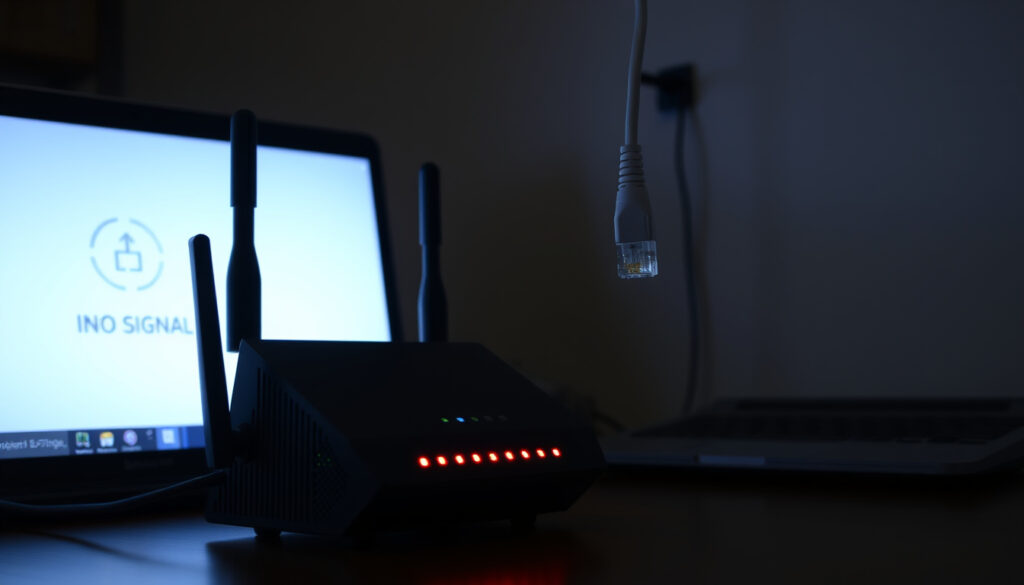
Virgin Media WiFi Down? Check Outages & Fix Internet Problems
Few things are more frustrating than losing your internet connection in the middle of a workday or while streaming your favourite show. If you’re a Virgin Media customer in Ireland and your WiFi has suddenly stopped working, you’re not alone – but figuring out whether it’s a widespread outage or a simple home fix can save you a lot of time.
Virgin Media Ireland advises customers with no connection to check the service coming into their address before further troubleshooting.
– Virgin Media Ireland Support Guide
Virgin Media broadband customers (UK & Ireland): 5.5 million (2023) ·
Downdetector outage reports today: Real-time reports at Downdetector.ie ·
Official service status page: Available at virginmedia.ie
Quick snapshot
- Virgin Media runs an official service status checker (Virgin Media Help & Support)
- Restarting the hub resolves many connection issues (Virgin Media – WiFi not working guide)
- Exact cause of a local outage without contacting support
- When a planned maintenance will be completed
- Hub takes up to 5 minutes to reconnect after power is restored (Virgin Media Ireland – No connection)
- Factory reset takes 5–10 minutes to restart (Virgin Media – WiFi not working guide)
- If outage is confirmed, check the My Virgin Media app for updates (Virgin Media Community – Service status)
- If no outage, run a device test in the app (Virgin Media Community – Service status)
Virgin Media provides multiple ways to check your connection status and resolve issues on your own before calling support.
| Service | Details |
|---|---|
| Official outage page | virginmedia.ie/business/faqs/all/technical/outages/ |
| Downdetector link | downdetector.ie/status/upc/ |
| Virgin Media support phone (Ireland) | 1908 |
| Reset instructions | Hold reset pin on hub for 10 seconds |
| Connection restored indicator | Hub light turns solid white (Virgin Media Ireland – No connection) |
| ONT box lights | Both green when service is normal (Virgin Media Ireland – No connection) |
| Service status tool | Checks for faults affecting broadband, TV, landline (Virgin Media Help – Outages explained) |
| My Virgin Media app | Shows service status and device tests (Virgin Media Community – Service status) |
The pattern is clear: start with official checks before moving to third-party tools.
Is Virgin Media down right now in Ireland?
Using Virgin Media’s official service status page
The simplest way to identify a broadband outage is to run a status check. Virgin Media’s help pages recommend checking service status first if there is a technical issue with WiFi, TV, or another service (Virgin Media Help & Support). On the status page, if no local problems are reported, users will see affected services and can run further diagnostic checks.
- Account holders need their account number and area reference number to check service status for the first time (Virgin Media Community – Service status).
- The business support page also lets users enter their account number to see if their area is affected.
The implication: using the official checker first eliminates guesswork and directs you to the right fix faster.
Checking Downdetector for live reports
While Virgin Media’s own page is authoritative, third‑party aggregators like Downdetector provide real‑time user reports that can confirm whether others in your area are experiencing problems. Downdetector’s UPC/Virgin Media page shows a live outage map and comment feed. This is especially useful when the official page doesn’t immediately reflect a local issue.
The pattern: Downdetector spikes often correlate with confirmed outages, making it a helpful early warning tool.
Account holders need their account number and area reference number to check service status for the first time.
– Virgin Media Community Blog
Why is my Virgin Media WiFi not working?
Common causes: router issues, local outages, device settings
When your Virgin Media WiFi stops working, the culprit can be anything from a faulty hub to a device‑level setting. Virgin Media’s broadband help page notes that rebooting the WiFi Hub by turning it off and on again is a first‑line fix for most connection problems. Intermittent connections may also be caused by router overloading — too many devices connected at once can slow or drop the signal.
A simple reboot fixes many home issues, but if your hub’s lights are normal and other devices also fail to connect, it’s likely a wider outage — and no amount of restarts will help until Virgin Media restores service.
What this means: start with the simplest fix, but recognise when the problem is outside your control.
How to diagnose a hub problem vs. a network outage
- Check the hub’s lights: a solid white light means the connection is back (Virgin Media Ireland – No connection). If the light is orange or off, there may be a power or signal issue.
- Check the ONT or outlet box: both lights should be green when service is normal.
- Run a device test using the My Virgin Media app — the community blog says users can run a test next to the equipment they want to check if no fault is found in the area.
What this means: if your hub lights look healthy and the ONT box shows green, the problem is likely inside your home. If the lights are off or red, it points to an external issue.
How do I restart my Virgin Media WiFi?
Step-by-step: power cycling the hub
- Unplug the power cable from the back of the hub. Wait at least 10 seconds — Virgin Media Ireland recommends approximately 10 seconds (Virgin Media Ireland – No connection).
- Plug the hub back in and turn the power on. Do not press any buttons.
- Wait for the hub to fully reboot. Virgin Media says the modem can take up to five minutes to reconnect after power is restored. The connection is back when the hub light is solid white.
- Test your connection on multiple devices — a phone, laptop, and tablet — to confirm the fix.
If the problem persists, check that all wires into and out of the Hub are firmly pushed in.
Factory reset as a last resort
Only use a factory reset if power cycling fails. Locate the pinhole reset button on the back of the hub, press and hold it for 10 seconds using a paperclip or pin. The hub will restart and may take 5 to 10 minutes to come back online. Note that this erases any custom settings (WiFi name, password).
Virgin Media’s broadband help page confirms that rebooting the WiFi Hub by turning it off and on again is a first‑line fix for most connection problems.
– Virgin Media Help Centre
How do I check if the internet is down in my area?
Using Virgin Media’s area outage checker
Virgin Media’s business support page allows you to check if your area is affected by an outage by entering your account number (Virgin Media Ireland – Outages). The service status tool can identify faults affecting broadband, Virgin TV performance, and landline service. For personal accounts, the My Virgin Media app provides the same information with a simpler interface.
The outage checker is the only way to confirm whether Virgin Media is actively working on a fix. Without it, you might waste time rebooting equipment that isn’t the problem.
The catch: without an account number handy, you cannot access area-specific outage details from Virgin Media directly.
Using third-party sites like Downdetector and social media
- Downdetector.ie/status/upc/ shows a live graph of user reports for Virgin Media in Ireland.
- Search Twitter for hashtags like #VirginMediaDown — real‑time posts can confirm whether the issue is widespread.
- Check local neighbourhood forums or community groups; neighbours often report outages first.
The catch: social media and aggregators are useful for quick confirmation, but they lack the authority of Virgin Media’s own status page.
Why is my Wi-Fi not working today?
Distinguishing between a home issue and a wider outage
If your WiFi worked fine yesterday but is down today, start by asking whether only one device is affected. If your phone connects but your laptop doesn’t, the problem is device‑specific. If nothing connects — and the hub lights look normal — run the service status check. Virgin Media Ireland says customers without service may have an outage in their area and should use its test page to check devices (Virgin Media Ireland – FAQ Hub).
Planned maintenance is sometimes scheduled without notice, and temporary network congestion — especially during peak evening hours — can cause slowdowns. WiFi interference from other devices (microwaves, baby monitors) can also cause dropouts.
When to call Virgin Media support
If you’ve checked the status page, rebooted the hub, and run a device test with no success, it’s time to call. Virgin Media Ireland’s support number is 1908. Have your account number and hub serial number ready to speed up the process.
The implication: most connectivity issues in Ireland are resolved within 24 hours, but having a clear diagnosis before you call reduces the time spent on hold.
Confirmed facts
- Virgin Media runs an official service status checker (Virgin Media Help & Support)
- Downdetector shows user-reported outages (Downdetector Ireland)
- Restarting the hub resolves many connection issues (Virgin Media – WiFi not working guide)
What’s unclear
- Exact cause of a local outage without contacting support
- When a planned maintenance will be completed
- How long a specific outage will last — Virgin Media does not always provide an ETA
For Irish Virgin Media customers, the decision path is clear: start with the official status page, reboot the hub, then check the My Virgin Media app. If all those steps fail, a call to 1908 is the quickest way to get a definitive answer. Don’t waste time guessing — use the tools Virgin Media provides and you’ll be back online sooner.
Related reading
- Why is my Virgin Media WiFi not working? – Virgin Media Help
- Why can it take so long to fix an outage – Virgin Media Help
Related reading: Why is my Virgin Media WiFi not working? · Why can it take so long to fix an outage
virginmedia.ie, geoblackout.com, selectra.ie, observerireland.org, outage.report
Frequently asked questions
How do I reset or reboot Virgin Media Hub?
Unplug the power cable for at least 10 seconds, then plug it back in. Wait up to 5 minutes for the hub to reconnect. If that doesn’t work, press the pinhole reset button for 10 seconds to factory reset (Virgin Media Ireland – No connection).
Why is my Virgin Media WiFi on but not working?
If the hub light is solid white but devices can’t connect, try checking the ONT box lights (both should be green). Also run a device test in the My Virgin Media app. A misconfigured device or WiFi interference may be the cause (Virgin Media Community – Service status).
Is my WiFi down in my area?
Check Virgin Media’s service status page at virginmedia.com/help or use the My Virgin Media app. You can also visit downdetector.ie/status/upc/ for user reports. If the area is affected, the status page will list a fault.
Why is my WiFi suddenly not working?
Sudden dropouts can be caused by a local outage, a hub glitch, or device interference. Start by rebooting the hub and checking the status page. If the hub light is orange, it may be overheating or losing signal (Virgin Media Ireland – No connection).
Is Virgin WiFi down in my area?
Yes, if you’re experiencing no connection and the status page shows a fault for your postcode. Use the My Virgin Media app or the website to confirm (Virgin Media Ireland – Outages).
What is the latest Virgin Media outage update in Dublin?
For real‑time updates, check Downdetector.ie and the official status page. Virgin Media does not publish a public outage map, but the service status page shows live fault information for your account area.
How to access the Virgin Media Ireland outage map?
Virgin Media Ireland does not offer a public map. Instead, use the business outages page (virginmedia.ie/business/faqs/all/technical/outages/) or the My Virgin Media app. Enter your account number to see area-specific information (Virgin Media Ireland – Outages).
More related posts
 Galaxy Note 20 to Buy: Prices, Support & S22 Comparison in 2025
 Chitty Chitty Bang Bang – True Story Behind the Flying Car
 How Many Inches in a Foot? The Exact Answer
 Jill Halfpenny TV Shows: Complete Career Guide
 Euro to Philippine Peso Exchange Rate: BDO, Western Union & More
 Marks and Spencer Opening Times: Holiday Hours, Discounts & Irish Store Guide
 How to Make Lemonade: Perfect Homemade Recipe & Ratios
